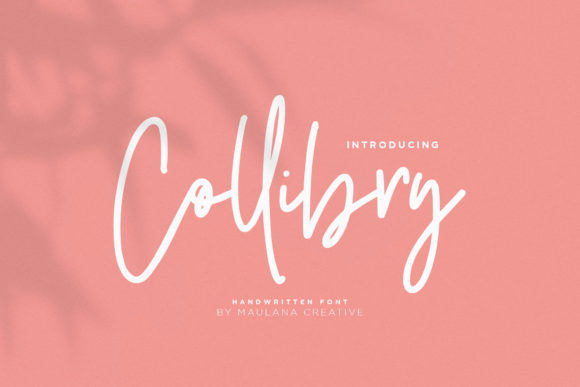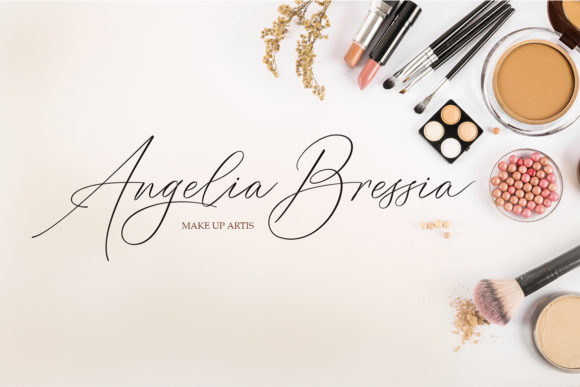
Vignette: A Handwritten Font That Feels Human in a Digital World
In an era where interfaces grow flatter, interfaces grow faster, and attention spans shrink by the millisecond, something unexpected is gaining quiet momentum: handwriting. Not as nostalgia—but as intention. Vignette arrives at this precise cultural inflection point: a modern, smooth, and fun handwritten font with a unique look—designed not to mimic ink on paper, but to carry warmth, rhythm, and personality into digital spaces where those qualities are increasingly rare.
Why Handwriting Still Matters—Even in 2024
It’s easy to assume that sleek sans-serifs and geometric typefaces dominate because they’re “professional.” But look closer: the most trusted newsletters, the most shared Instagram carousels, the most memorable brand launches—they often lean into texture, contrast, and subtle imperfection. That’s where Vignette fits: not as decoration, but as a deliberate tonal choice. Its bold flavor doesn’t shout—it leans in. Its smooth curves invite reading rather than scanning. And its consistent yet organic stroke variation makes it feel hand-drawn without sacrificing legibility or scalability.
This isn’t about rejecting digital tools. It’s about recognizing that users—whether scrolling a landing page, opening a PDF pitch deck, or watching a short-form video—respond to signals of authenticity. A well-placed Vignette headline, for example, can soften the clinical edge of a data-heavy dashboard. A Vignette-styled call-to-action button feels more like an invitation than an instruction.
How Vignette Fits Into Evolving Creative Workflows
Designers and marketers no longer choose fonts in isolation. They select them as part of a broader content strategy—one that spans static assets, motion graphics, email templates, and even AI-assisted copy generation. Vignette thrives here because it’s built for flexibility: optimized for both screen and print, with OpenType features that support ligatures, stylistic alternates, and contextual swashes—all accessible through standard design apps like Figma, Adobe Creative Cloud, and even Canva (via custom upload).
Consider a freelance educator building a course on emotional intelligence. Instead of defaulting to a generic script font that feels cartoonish or outdated, they use Vignette for section headers and quote callouts—adding visual continuity across slides, workbooks, and social snippets. The result? A cohesive, human-centered aesthetic that supports learning—not distracts from it.
Or take a small business owner launching a new line of ceramic tableware. Their product photos are warm, tactile, slightly imperfect. Pairing those images with crisp, neutral body text and Vignette for product names and taglines creates visual harmony—not contrast. It tells a story before a single word is read.
From Trend to Tool: What Changed in the Last Five Years
Handwritten fonts used to be polarizing. Many were either overly decorative (hard to read at small sizes) or too casual (undermining credibility). What’s shifted isn’t just aesthetics—it’s infrastructure. Variable font technology, improved rendering engines, and better browser support mean fonts like Vignette can now scale cleanly from mobile headlines to large-format signage without losing nuance.
Equally important: user expectations have matured. People don’t mistake thoughtful typography for unprofessionalism. In fact, research across UX studies shows that readers assign higher perceived trustworthiness to brands that demonstrate intentional design choices—even subtle ones like font pairing. When Vignette appears alongside a carefully chosen sans-serif or serif companion, it signals care—not chaos.
That shift also reflects broader lifestyle changes. Remote work, asynchronous communication, and creator-led branding mean professionals are designing their own assets more often—and doing so with less reliance on in-house design teams. Fonts like Vignette lower the barrier to expressive, brand-aligned communication without requiring advanced typographic training.
Practical Ways to Use Vignette—Without Overdoing It
Like any strong voice, Vignette works best when it has space to breathe. Here’s how seasoned creators apply it thoughtfully:
- Lead with clarity, then add character: Use a neutral, highly legible font (like Inter, Lato, or IBM Plex Sans) for body copy and interface labels—and reserve Vignette for headlines, pull quotes, or short CTAs. This maintains readability while introducing warmth where it matters most.
- Match tone to context: A fintech startup might use Vignette sparingly—for a friendly welcome message in an onboarding flow—not for financial disclosures. A children’s illustrator, however, could use it across titles, captions, and even simple animations, where playfulness aligns with audience expectation.
- Test contrast and color carefully: Because Vignette has moderate stroke contrast and open counters, it performs well against soft backgrounds—but avoid very light weights on low-contrast surfaces. For accessibility, always verify sufficient contrast ratios (at least 4.5:1 for normal text) using tools like WebAIM’s Contrast Checker.
- Think beyond static screens: Animating a Vignette-styled logo reveal—where letters appear as if drawn in real time—adds dimension without gimmickry. Similarly, pairing Vignette with subtle micro-interactions (e.g., hover effects that gently lift or rotate a word) reinforces its handmade quality in a digital-native way.
What Vignette Reveals About Broader Creative Priorities
The growing adoption of fonts like Vignette points to something deeper than typography preferences. It reflects a quiet recalibration in how people want to show up—both online and off. There’s rising demand for tools that help express individuality without sacrificing polish, that support connection without leaning into cliché, and that balance efficiency with humanity.
For entrepreneurs, that means choosing a font that helps differentiate a service in a crowded market—not by being louder, but by feeling more considered. For educators, it means selecting type that supports engagement in self-paced learning environments. For developers building internal dashboards, it means using Vignette for status labels (“In review,” “Ready for feedback”) to reduce cognitive load and add gentle visual hierarchy.
This isn’t about chasing whimsy. It’s about recognizing that every design decision communicates—sometimes silently, often powerfully. Vignette doesn’t ask you to abandon structure. It asks you to infuse structure with presence.
A Realistic Note on Adoption and Expectations
No font solves brand strategy—or replaces strong writing, clear messaging, or user-centered design. Vignette is most effective when it serves a purpose: reinforcing voice, guiding attention, or adding warmth to otherwise neutral layouts. It won’t compensate for inconsistent branding, poor information architecture, or unclear value propositions.
That said, its versatility makes it unusually accessible. You don’t need a design degree to see how Vignette improves a newsletter header or adds charm to a printed workshop handout. And because it’s designed with contemporary technical standards in mind—including full Unicode support and cross-platform compatibility—it integrates smoothly into existing workflows rather than demanding overhaul.
If you’ve hesitated to try a handwritten font before, consider this: Vignette isn’t asking you to go retro. It’s offering a different kind of forward—where digital tools retain their speed and precision, but also make room for gesture, rhythm, and the unmistakable imprint of human intention.