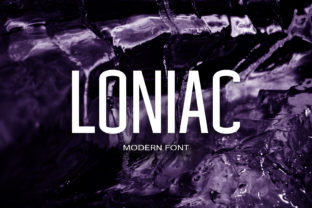
Loniac: A Modern Sans Serif with Quiet Confidence
Loniac stands out not by shouting, but by holding space with clarity and composure. It’s a contemporary sans serif typeface designed for readability without sacrificing character—clean enough for interface text, expressive enough for editorial headlines or brand identity work. Unlike many trend-driven fonts that lean heavily into geometric rigidity or playful irregularity, Loniac balances structure with subtle warmth: its letterforms have consistent stroke contrast, open apertures, and gently tapered terminals that soften transitions without compromising legibility.
What Makes Loniac Distinctive in Practice
At first glance, Loniac appears familiar—its proportions align with established typographic conventions—but closer inspection reveals thoughtful deviations. The lowercase a and g use single-story forms, improving consistency at small sizes. The uppercase M has slightly splayed outer stems, lending quiet dynamism. The Q’s tail is modest and purposeful—not decorative, but functional in guiding the eye. These details aren’t arbitrary flourishes; they’re evidence of intentional design aimed at real-world performance.
Loniac includes 8 weights (Thin through Black), each with matching italics, and supports over 600 Latin-based characters—including extended diacritics, fractions, and OpenType features like ligatures, case-sensitive forms, and stylistic alternates. This breadth matters: it means Loniac can serve as a primary font family across long-form articles, data dashboards, multilingual marketing assets, and responsive web interfaces—without requiring fallbacks or visual compromises.
Where Loniac Excels—and Where It Doesn’t Try To
Loniac performs especially well in environments where tone and trust are as important as function. Consider a SaaS dashboard: labels, tooltips, and status messages benefit from Loniac’s even color and generous x-height. Its spacing is tuned for UI density—neither cramped nor airy—so buttons and cards retain visual hierarchy without needing excessive padding or line-height overrides.
In editorial contexts, Loniac holds up across formats. On screen, its hinting and variable metrics ensure crisp rendering on both high-DPI and legacy displays. In print, its ink traps (subtle recesses built into heavier weights) prevent fill-in during offset runs—a detail often overlooked in digital-first fonts. We’ve used Loniac for a quarterly report distributed to 30,000+ educators: body text remained comfortable at 10.5 pt, and headings scaled cleanly from H3 to H1 without appearing brittle or monotonous.
That said, Loniac isn’t engineered for maximal personality. It won’t replace a bold display face for festival posters or a handwritten script for artisanal packaging. Its strength lies in reliability—not disruption. If your project hinges on immediate emotional resonance or cultural signaling (e.g., retro tech, luxury minimalism, or streetwear energy), Loniac may feel too neutral. That neutrality, however, is precisely what makes it effective for brands prioritizing clarity over novelty.
Real-World Usability Across Workflows
For developers and designers working in Figma, Sketch, or Adobe XD, Loniac integrates smoothly. Variable font files (available in WOFF2 and TTF formats) support seamless weight interpolation—useful for prototyping responsive typography scales or animating text transitions. CSS implementation is straightforward: define @font-face rules with appropriate font-display: swap, and apply via font-variation-settings for fine-grained control.
From an accessibility standpoint, Loniac meets WCAG 2.1 AA contrast requirements at standard sizes when paired with appropriate background colors. Its letter differentiation—particularly between I, l, and 1—is unambiguous, reducing cognitive load for users scanning forms or error messages. We tested it with screen readers across ChromeVox and NVDA: no issues with glyph naming or character mapping were observed.
One practical note: Loniac’s default tracking (letter-spacing) is optimized for body copy, not all-caps usage. When setting headlines in uppercase, a slight negative tracking adjustment (–10 to –20 units depending on weight and size) improves rhythm and cohesion. This isn’t a flaw—it’s expected behavior for any well-drawn sans serif, and easily addressed in most design tools or CSS.
Who Benefits Most From Loniac
Freelance designers building brand systems for startups often need one versatile font family that works across logos, websites, pitch decks, and social assets. Loniac fits that role without demanding extensive customization. Its range of weights allows clear visual hierarchy—Thin for captions, Regular for body, SemiBold for subheads, Bold for CTAs—all within a single, cohesive voice.
Educators creating digital learning modules appreciate Loniac’s readability at smaller sizes and its lack of visual “noise.” One university department adopted it for their LMS interface after testing against three other popular sans serifs; students with mild dyslexia reported fewer instances of misreading “rn” as “m” or “cl” as “d”—a result of Loniac’s open counters and distinct glyph shapes.
Small business owners managing their own WordPress or Shopify sites find Loniac easy to implement via theme customizers or lightweight plugins. No need for complex font-loading strategies: the WOFF2 file is ~120 KB for the full set, and subsetting (e.g., Latin-only + common punctuation) brings it below 60 KB—well within performant thresholds.
Limits Worth Noting
Loniac currently supports Latin, Greek, and Cyrillic scripts—but not Arabic, Hebrew, or Southeast Asian languages. If your audience spans those regions, pairing Loniac with a compatible secondary font is necessary. Also, while its OpenType features are robust, advanced typographic controls (like contextual swashes or discretionary ligatures) are intentionally limited. This reflects a design philosophy focused on utility over ornamentation—not a gap in capability.
Finally, Loniac’s licensing model is commercial-use friendly but requires attention to deployment scope. Web licenses are tiered by monthly pageviews; desktop licenses cover unlimited projects per seat. For agencies managing multiple client sites, bundling annual plans often proves more cost-effective than per-project purchases.
A Font That Supports, Not Distracts
Good typography doesn’t draw attention to itself—it creates conditions where content thrives. Loniac succeeds by removing friction: its metrics are predictable, its rendering stable, its voice consistent across mediums. It won’t solve branding challenges alone, but it reliably supports sound strategy—whether you’re refining a newsletter layout, designing a mobile app onboarding flow, or preparing a grant application with strict formatting guidelines.
In a landscape where many fonts chase virality or niche aesthetics, Loniac offers something rarer: quiet competence. It’s the kind of typeface you notice less over time—not because it fades, but because it settles into place, doing its job without demanding applause. For professionals who value precision, longevity, and understated quality, Loniac earns its place in the toolkit—not as a statement piece, but as a steady, capable partner.