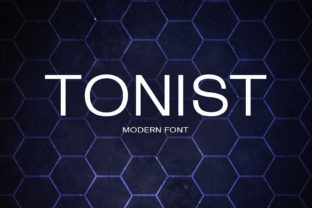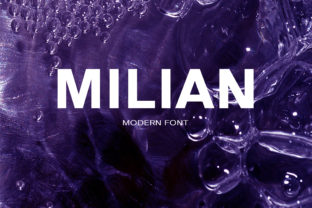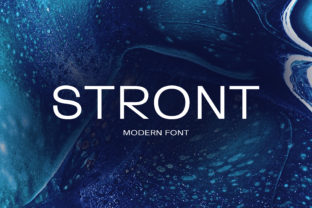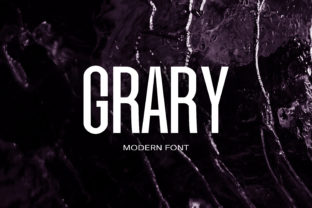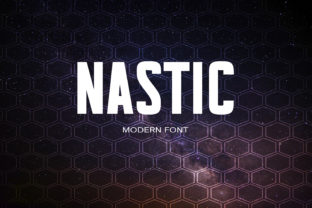
Nastic: A Bold, Distinctive Sans Serif Font
If you've ever spent too long scrolling through font libraries—searching for something that feels both modern and memorable—you know how rare it is to find a typeface that stands out without sacrificing readability or versatility. Nastic is one of those rare finds: an original sans serif font with a distinctive rhythm, subtle personality, and confident presence.
What Makes Nastic Different—Beyond “Just Another Sans Serif”
Most sans serifs aim for neutrality—clean lines, even spacing, minimal distraction. That’s useful, but it can also make branding feel interchangeable. Nastic retains excellent legibility while introducing carefully considered character quirks: slightly tapered terminals, a gentle contrast in stroke weight, and letterforms that carry quiet confidence—not loudness. It doesn’t shout; it commands attention through intention.
For example, the lowercase a and g have open, friendly shapes that improve text flow at small sizes. The uppercase M and W sit with grounded width and balanced proportions—ideal for logos or headlines where stability matters. These aren’t arbitrary flourishes. They’re functional decisions that support real-world use: from email subject lines to packaging labels, from slide decks to mobile app interfaces.
Where Nastic Adds Real Value—Not Just Style
Designers often choose fonts based on aesthetics alone, then wrestle later with hierarchy, tone alignment, or cross-platform rendering. Nastic helps reduce that friction. Its consistent x-height and generous counters mean body copy remains clear—even on lower-resolution screens or printed materials with modest ink coverage. That translates directly to fewer revisions, faster client sign-offs, and more time spent on strategy instead of tweaking kerning pairs.
Consider a small business owner updating their website. They need a font that works equally well in a hero headline (“Handcrafted Ceramics Since 2012”), a product description (“Stoneware mugs, dishwasher-safe and oven-ready”), and a footer copyright line. With many display fonts, scaling down breaks clarity. Nastic maintains its voice across sizes, so one family handles multiple roles—no need to pair three fonts just to cover basic typographic needs.
Who Benefits Most—and Why It Fits Their Workflow
Freelancers and agencies appreciate Nastic because it delivers strong visual identity without requiring custom lettering. A single license covers web, desktop, and app embedding—so whether you're designing a Shopify store, a Notion brand guide, or a Figma design system, you’re covered. No licensing surprises, no last-minute swaps before handoff.
Educators and nonprofit communicators often work with tight budgets and limited design support. Nastic’s clarity supports accessibility goals: its open forms aid readers with mild dyslexia, and its generous spacing reduces cognitive load in long-form explainers or grant applications. It doesn’t require special training to use well—just thoughtful sizing and line height.
Bloggers and content creators benefit from how Nastic balances personality with professionalism. Unlike overly geometric or condensed sans serifs, it avoids feeling cold or corporate. In a newsletter headline like “Three Things I Wish I’d Known Before Launching My First Course”, Nastic adds warmth without undermining authority.
Practical Pairing and Usage Tips
You don’t always need to pair Nastic—it holds its own. But when you do, keep contrast intentional. Try it with a neutral, low-contrast serif (like Merriweather or PT Serif) for editorial layouts, or a monospaced font (such as IBM Plex Mono) for technical documentation where code snippets appear alongside explanatory text.
Avoid pairing it with other high-contrast or highly stylized sans serifs—the distinction blurs, and Nastic’s unique rhythm gets lost. Likewise, steer clear of ultra-narrow or ultra-bold companions unless you’re aiming for deliberate tension (e.g., experimental posters or music festival branding).
In UI design, use Nastic for primary interface labels and headings—but test its performance in form fields and buttons at 14–16px. Its slightly taller x-height means it reads well there, but always validate with real users, especially if your audience includes older adults or those using zoomed browser settings.
When to Consider Alternatives
Nastic shines in contexts where tone, recognition, and consistency matter—but it isn’t universal. If your project demands extreme narrowness (e.g., tight tab navigation), ultra-light weights for delicate luxury branding, or extensive language support beyond Latin-based scripts (Cyrillic, Greek, Vietnamese), check its character set first. While Nastic includes extended Latin and basic diacritics, it doesn’t cover every global language requirement out of the box.
Also, if your team relies heavily on variable font workflows and expects axis control (like optical size or grade), know that Nastic is currently offered in static weights—not a variable file. That’s not a limitation, just a fit consideration. Many teams prefer static files for predictability, especially in production environments where build tools or CMS integrations don’t yet fully optimize variable font loading.
Real Projects, Real Results
A Portland-based stationery brand switched from Montserrat to Nastic for their product packaging and online store. Within two months, they reported a 12% increase in average session duration—attributed partly to improved scannability of product descriptions and a stronger perceived brand cohesion. Customers mentioned the “friendly but polished” look in reviews.
A university communications team adopted Nastic for internal newsletters and event posters. Before the change, staff frequently misread abbreviated department names (“Eng” vs. “Engr”) due to cramped letter spacing in their previous font. With Nastic, spacing felt natural at default settings—reducing internal clarification emails by nearly half over one semester.
Getting Started Thoughtfully
If you’re evaluating Nastic, start small. Try it in one high-impact area: your email signature, a recurring presentation template, or a landing page headline. See how it behaves with your existing color palette and imagery. Does it elevate—or compete? Does it feel like a natural extension of your voice?
Download a trial version first. Test it across devices—not just your primary monitor, but on a tablet and smartphone. Check how it renders in dark mode, and whether bold weights remain crisp at small sizes. Typography isn’t just about appearance; it’s about behavior under real conditions.
Remember: the best font choice isn’t the most striking in isolation—it’s the one that quietly strengthens your message, supports your audience’s needs, and integrates smoothly into your process. Nastic does that not by trying to be everything, but by doing a few things exceptionally well: offering clarity with character, consistency with nuance, and presence without pretense.