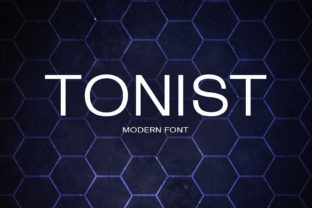
Tonist: A Friendly Sans Serif Font for Distinctive Typography
Tonist is a contemporary sans serif typeface designed with approachability and character in mind. It features clean lines, open letterforms, and subtle stylistic details—such as gently flared terminals and soft curves—that distinguish it from more neutral options like Helvetica or Inter. Released as a variable font, Tonist supports a continuous range of weights and widths, offering designers flexibility without sacrificing consistency.
Unlike many minimalist sans serifs built primarily for utility, Tonist intentionally balances readability with personality. Its lowercase a, g, and e carry gentle humanist inflections, while its uppercase letters maintain even spacing and strong vertical rhythm. This combination makes Tonist suitable for both body text and display use—though its strengths vary depending on context and implementation.
Why Designers Consider Tonist
Designers often explore Tonist when seeking a typeface that feels modern yet warm, structured yet expressive. It appeals particularly to projects where tone matters as much as legibility: brand identities for creative studios, editorial layouts for lifestyle publications, or digital interfaces aiming to convey friendliness without sacrificing professionalism.
Its variable font architecture also attracts developers and design systems teams looking to reduce file count and improve performance. With a single file supporting weight, width, and optical size axes, Tonist simplifies responsive typography implementation across devices—especially useful in web environments where loading efficiency and typographic control are priorities.
Key Benefits of Using Tonist
- Distinctive voice without compromising clarity: Tonist avoids the anonymity of ultra-neutral fonts while remaining highly legible at small sizes and on screens.
- Variable font capabilities: Enables fine-tuned typographic hierarchy through fluid weight and width adjustments—ideal for dynamic layouts and adaptive UIs.
- Open-source licensing (SIL Open Font License): Free to use in commercial and personal projects, with no attribution required—reducing legal overhead for teams evaluating type options.
- Well-hinted and web-optimized: Includes robust hinting and WOFF2 support, contributing to consistent rendering across browsers and operating systems.
Tradeoffs and Practical Considerations
Tonist’s friendly character comes with tradeoffs worth noting before adoption. Its moderate contrast and softened stroke endings may reduce impact in very large display settings—such as billboards or high-resolution signage—where sharper, higher-contrast fonts often perform better. Similarly, in dense data tables or technical documentation requiring maximum scannability, Tonist’s warmth can slightly diminish functional neutrality.
Language support is solid for Western European languages but limited for extended Latin, Cyrillic, or non-Latin scripts. Users targeting multilingual audiences should verify glyph coverage for their specific language requirements. While the font includes standard OpenType features like ligatures and alternate numerals, it does not offer stylistic sets or extensive contextual alternates found in more elaborate type families.
Performance-wise, Tonist’s variable font file is compact (~150 KB WOFF2), but using the full axis range may require careful subsetting or font-display strategies to avoid layout shifts during loading. Teams unfamiliar with variable font implementation may need to allocate time for testing across browsers—particularly older versions of Safari and Firefox, where certain axis behaviors have historically varied.
When Tonist Is a Strong Fit
Tonist excels in contexts where tone, cohesion, and moderate typographic expression are central goals. It works well for:
- Brand identity systems seeking a consistent, approachable voice across print and digital touchpoints;
- Editorial websites and newsletters prioritizing readable body text with visual interest in headings;
- Product dashboards and SaaS interfaces where user trust and perceived empathy influence engagement;
- Educational platforms serving diverse age groups, where clarity and warmth jointly support comprehension and accessibility.
In these cases, Tonist supports both functional needs—like screen legibility and responsive scaling—and strategic ones—like reinforcing brand values through typography alone.
When Alternatives May Be Worth Exploring
Tonist may be less ideal in scenarios demanding extreme neutrality, broad linguistic coverage, or specialized typographic functionality. For example:
- If your project requires extensive support for Vietnamese, Greek, or Arabic scripts, fonts like Inter or Noto Sans offer wider language coverage with similar design sensibilities.
- For high-density UIs—such as developer tools or analytics consoles—fonts optimized for code-like density (e.g., Cascadia Code or Source Sans Pro) may provide better information density and scanning efficiency.
- If you need fine-grained optical sizing or advanced typographic features (e.g., true small caps, stylistic alternates, or discretionary ligatures), commercial fonts like Aktiv Grotesk or FF Meta offer deeper feature sets, albeit with licensing considerations.
Making an Informed Decision
Choosing Tonist—or any typeface—should begin with clear goals. Ask: What role does typography play in this project? Is it primarily functional, expressive, or both? Who is the audience, and under what conditions will they encounter the text?
A practical evaluation step is to test Tonist alongside two alternatives—one more neutral (e.g., Inter) and one more distinctive (e.g., Recursive)—using real content and actual devices. Compare rendering at common sizes (16px, 24px, 48px), assess color contrast against your palette, and review line lengths in your layout grid.
Also consider tooling compatibility. If your team uses Figma, check whether Tonist is available via the built-in font library or requires manual upload. For web projects, verify how your CMS or static site generator handles variable font loading and fallback behavior.
Finally, remember that type choice is rarely about finding the “best” option—but rather the most appropriate one for a specific set of constraints and intentions. Tonist stands out not because it solves every typographic challenge, but because it offers a balanced, accessible, and expressive solution within a well-defined scope.